Mobile shift manager tailored for Mossos d'Esquadra schedules
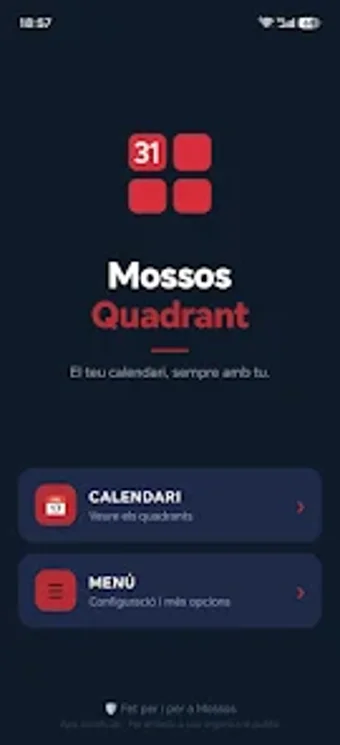
Explore Mossos Quadrant, by MoreReca APP, a mobile shift management tool for Mossos d'Esquadra officers. It organizes rotating work cycles, vacations, legal appointments, and administrative days into a color-coded monthly calendar with photo and note attachments for each date. The app supports standard quadrant patterns such as Q5, Q3, and Q7, allows custom shift definitions, and offers a dual-quadrant comparison mode. Intended for on-duty personnel who require a device-contained planner aligned to police shift nomenclature.
What does the app do for routine shift management?
The app presents a month view with color-coded shift types and supports predefined quadrants (Q5, Q3, Q7) plus custom schedules. In practice, users can tag days as vacations, AP, blue days, or guards and attach notes or photos to specific dates. For planning, the dual-quadrant comparison mode displays two schedules side by side, and swipe gestures move between months.
Does it affect device performance during regular use?
Designed for Android, the app stores data locally and does not send schedules to external servers, which reduces network activity during normal operation. The developer issues regular updates to maintain compatibility with recent Android builds. Because its workflows are calendar-based rather than continuous background services, typical usage involves short active sessions without constant synchronization traffic.
Is it safe to use and appropriate for on-duty schedules?
The tool is an independent, unofficial application created for Mossos personnel by the developer MoreReca APP, and it keeps all entries on the device only. That local-only storage model minimizes external data exposure. Nevertheless, the app assumes familiarity with Mossos quadrant nomenclature and is aimed at officers managing rotating patterns rather than general-purpose calendar users.
The app is a practical choice for officers who need device-contained roster management
The app serves officers who need a private, mobile planner aligned to Mossos shift terminology; its local-only storage protects data from remote servers. A clear limitation is that it is not an official rostering system, so users should not expect integration with institutional payroll or scheduling platforms. For on-duty coordination, enter recurring quadrant templates once and use the comparison view when planning.